Download Disposable Camera App free on android
APK file Disposable 1.1How to install APK / APKS / OBB file on Android

The Original Free Disposable Camera App
Brought to you by www.disposable.app, the original disposable camera app for events, weddings, parties and more allows you to capture all your guests' photos in 3 simple steps:
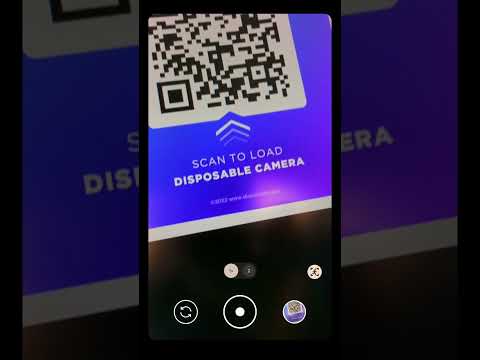
(1) Scan QR
Your event guests simply scan a QR code to instantly load your event camera.
• No App Downloads Required
(2) Snap Photos
All guest photos are automatically captured in your event album.
• Supports Android & iOS
(3) Dispose.
Your guests simply close the camera app to dispose of it.
• Environmentally Friendly
The Result?
An event photo album with all photos captured by your guests. The album is private by default, but shareable if you choose!
App Features:
• Unlimited Guest Cameras
• Free QR Print Designs
• Control Guest Camera Features
• Shareable Event Album
• Supports 15+ Global Languages
• Stress-Free Event Setup Task List
• Brandable Camera & Album
Our team cares about capturing beautiful memories just as much as you do, and we've put our hearts and souls into designing this simple but powerful product. We sincerely hope you enjoy it.
-
Note: This app allows you to create disposable camera apps which are separate from this app, running as mobile web apps on www.disposable.app, meaning guests do not need to download or install any apps to use your event camera, nor are they required to create accounts to use your event camera apps. Ease of use for event guests is our first priority.
-
Available on desktop at: www.disposable.app
- LicenseFree
- File nameDisposable
- File Version1.1
- Package namedisposable.camera.app
- Size4.37 MB
- UploadedDecember 21, 2024
- Android5.0 or later

- CategoryEvents
- DeveloperhakJav Studios
- Developer sitehttps://disposable.app
- Developer emailteam@disposable.app
- md5 hash284c6dc471b88ad5cd8a86101bfa7fa5
- Architecture-
- Permissionsshow (5)
